
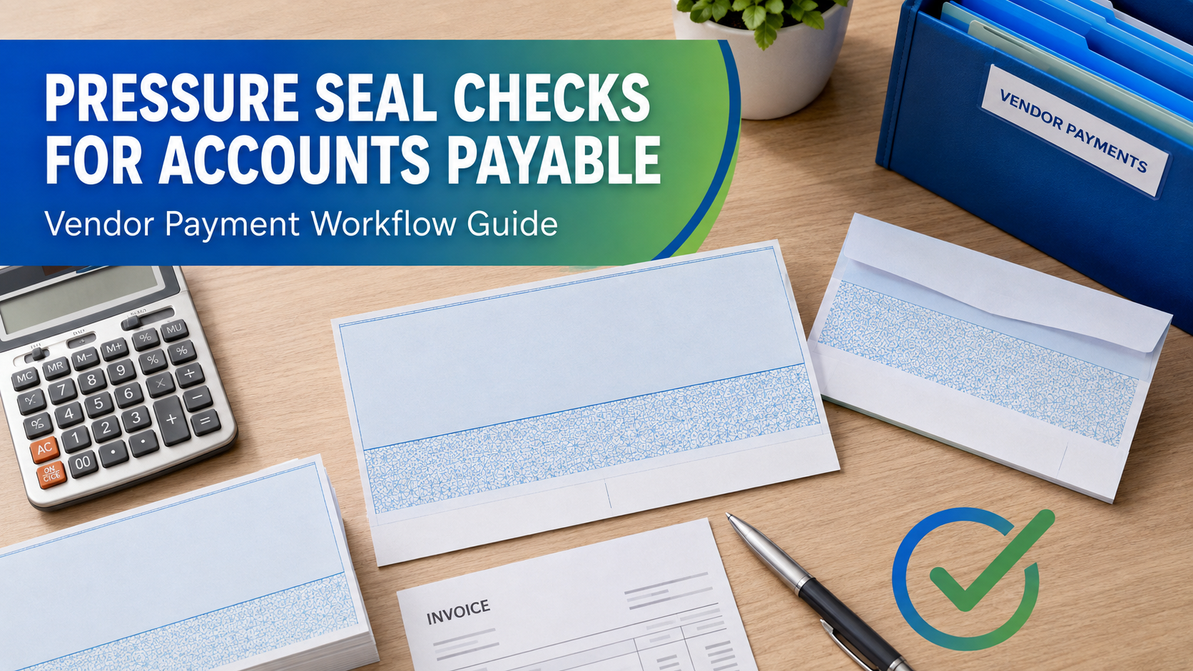
Pressure Seal Checks for Accounts Payable and Vendor Payments
Accounts Payable Workflow Guide
Pressure Seal Checks for Accounts Payable and Vendor Payments
Build a faster check-and-remittance workflow by matching AP software, check stock, printer requirements, fold configuration and pressure-sealing equipment.
Accounts payable teams often manage recurring vendor checks, detailed remittance advice, approvals and mailing deadlines. A pressure seal check can combine the payment check and remittance information on one specialized sheet. After printing, compatible pressure-sealing equipment folds and seals the document into a self-mailer, normally removing the need for a separate envelope.
The workflow can reduce manual folding and envelope stuffing, but the form must match the accounts-payable software and printer. The check must print in the correct position, remittance details must stay inside the folded document, and the paper size and fold style must be supported by the pressure sealer. This guide explains the decisions to make before converting vendor payments.
Where pressure seal checks fit in the AP cycle
- Invoices are approved. The business completes its normal invoice matching and payment-authorization process.
- The payment batch is created. Vendor, invoice and payment information are selected in the accounting system.
- Checks and remittance advice are printed. The software places the check, payment details and mailing information in predetermined areas.
- Forms are folded and sealed. A compatible pressure sealer converts the printed sheets into closed mailpieces.
- Output is verified and distributed. Staff inspect the batch, reconcile check numbers and prepare approved mailpieces for delivery.
Pressure sealing changes the document-preparation stage, not the company’s approval or reconciliation responsibilities. Maintain the review, authorization and recordkeeping controls required by your business.
Why AP teams consider pressure seal checks
Fewer handling steps
Folding, sealing and creating the mailpiece occur through one compatible machine process.
Check and advice stay together
Payment and remittance details remain part of the same document through printing and mailing.
No separate envelope
The correctly processed form becomes a self-mailer, reducing separate envelope inventory.
Consistent batches
Approved settings help operators produce repeatable check-and-remittance mailpieces.
Match the check layout to your accounting software
The software template controls where vendor names, addresses, check values, invoice numbers, discounts, credits and remittance details appear. A form that is physically compatible with the machine may still be wrong for the software.
| Layout question | Why it matters | What to verify |
|---|---|---|
| Where is the check? | Top, middle and bottom checks use different templates and perforations. | The exact check position expected by the software. |
| How much advice space is needed? | A payment may cover one invoice or many invoice lines. | The number and placement of remittance fields supported by the form. |
| Where does the address print? | The vendor address must appear on the intended exterior mailing panel. | Address placement after the actual production fold. |
| Which fold is used? | C-fold, Z-fold and EZ-fold configurations position panels differently. | The software form, check stock and machine support the same fold. |
| What is the exact form reference? | Similar-looking checks are not automatically interchangeable. | Product number, paper size, perforations, design and security level. |
Print a non-negotiable sample from the actual AP software. Fold and seal it using the intended machine, then inspect the check position, exterior address panel, remittance area and opening sequence.
Blank versus preprinted AP checks
Blank pressure seal check stock gives a business control over printing variable check information and may support multiple accounts when the approved equipment and procedures are in place. It can also create additional responsibility for MICR printing, toner, printer setup and blank-stock controls.
Preprinted pressure seal checks arrive with specified business and banking details already applied. They can simplify some printing steps but must be ordered for the correct account, check layout and starting number. Carefully review proofs or order details before production.
Before choosing blank or preprinted stock
- Confirm who supplies and prints the banking information.
- Verify MICR printer, toner and bank requirements when applicable.
- Identify the correct check position and software template.
- Confirm account, routing and starting-number information.
- Document storage and access controls for unprinted stock.
Select a fold style that protects remittance information
A pressure seal document is divided into panels that become the exterior and interior after folding. The selected configuration must work with both the accounting-software layout and the pressure sealer. The goal is to keep confidential payment and remittance details inside while placing the correct vendor address on the exterior.
- Z-fold: Panels fold in alternating directions and may be used for checks, advice and general business documents.
- C-fold: Outside panels fold inward in a letter-style configuration.
- EZ-fold and specialized folds: Designed for particular form layouts and supported equipment.
For a deeper comparison, read C-Fold vs. Z-Fold vs. EZ-Fold Pressure Seal Checks. Verify the final URL in Shopify if your blog handle differs.
Choose pressure-sealing equipment for payment volume
Accounts-payable volume can vary by day, week and month. Choose a machine that handles routine check runs as well as peak periods. Speed is important, but hopper capacity, monthly duty cycle, counters and conveyor handling can have just as much effect on the operator’s daily workflow.
| Machine factor | AP impact | Buying question |
|---|---|---|
| Processing speed | Determines how quickly a batch can move through the machine. | How many checks must be finished within the mailing window? |
| Monthly duty cycle | Indicates the workload class for which the model is designed. | What is normal and peak monthly form volume? |
| Hopper capacity | Affects how often staff reload forms during a batch. | Can the hopper hold a typical vendor-payment run? |
| Counter | Can help operators monitor batch quantities. | Does the workflow benefit from manual or batch counting? |
| Conveyor or catch tray | Organizes finished mailpieces and supports downstream handling. | How will completed checks be collected and verified? |
Compare current models using the Pressure Sealer Machine Comparison or browse the pressure sealer machine collection.
Maintain AP payment controls
Pressure-sealing equipment automates document handling, but it should fit within the organization’s existing payment-control structure. Approval, check-number reconciliation, stock access and exception handling remain important.
Before printing
Confirm approved invoices, vendor details, payment amounts, account selection and authorized batch totals.
During production
Control blank stock, loading direction, printer output, machine settings and spoiled documents.
After sealing
Inspect mailpieces, reconcile counts and check numbers, separate exceptions and release approved output.
Security features vary by pressure seal product. Review the selected check specifications and the Business Check Security Features Guide. Do not assume every check contains every listed feature.
Implementation plan for an AP department
1. Measure the existing workload
Record checks per batch, batches per month, peak volume, staff handling time, envelope usage, reprints and exceptions. This creates a baseline for selecting forms and equipment.
2. Approve the form specification
Document software, check position, remittance layout, fold style, paper size, blank or preprinted configuration, security features and exact product reference.
3. Configure the printer and machine
Confirm printer and toner requirements. Set the pressure sealer for the approved paper size and fold pattern according to the manufacturer’s instructions.
4. Run a controlled test
Use non-negotiable test data. Inspect check alignment, advice content, exterior address placement, folding, sealing and recipient opening.
5. Document the production process
Create instructions for stock access, loading, printing, folding, sealing, spoiled checks, reconciliation, quality review, exception handling and reordering.
Common AP pressure seal mistakes
- Ordering a similar-looking form without confirming the software template.
- Choosing the wrong check position or perforation pattern.
- Selecting a fold that exposes remittance information on an exterior panel.
- Ignoring MICR printer and toner requirements for blank stock.
- Sizing a pressure sealer using speed alone.
- Running live checks before completing a folded-mailer test.
- Failing to control spoiled checks and unused stock.
- Not recording the exact product reference for future reorders.
Accounts payable buying checklist
✓ Accounting software and version
✓ Exact form or template number
✓ Check position and perforations
✓ Remittance-advice capacity
✓ Vendor-address placement
✓ Fold style and paper size
✓ Blank or preprinted stock
✓ MICR printing responsibility
✓ Security features
✓ Normal and peak payment volume
✓ Pressure sealer compatibility
✓ Test and approval procedure
Explore available designs in the Pressure Seal Forms & Checks collection. One example is the Pressure Seal EZ-Fold Brown Check with Cubes Background; confirm the exact software, check position, fold and machine compatibility before ordering.
Frequently asked questions
Can pressure seal checks include remittance advice?
Yes, compatible layouts can place the check and remittance details on the same pressure seal form. Confirm the advice capacity and software template before ordering.
Do AP pressure seal checks need envelopes?
They are designed to fold and seal into self-mailers, so separate envelopes are normally unnecessary when the correct form and process are used.
Can every pressure sealer process every check form?
No. Confirm paper size, fold style and form compatibility for the selected machine.
How should we test a new AP check layout?
Print non-negotiable test information from the actual software, then inspect alignment, exterior panels, folding, sealing and opening before using live check numbers.
What information should I provide when asking for product help?
Provide the accounting software and version, existing form number, check position, fold style, paper size, printer type, monthly volume and pressure sealer model if one is already installed.
Build a faster vendor-payment workflow
Choice Checks can help you compare pressure seal checks and machines for accounts payable. Gather your software, layout, fold, paper-size and volume details before requesting compatibility assistance.
Recent Posts
-
Pressure Seal Checks for Accounts Payable and Vendor Payments
Accounts Payable Workflow Guide Pressure Seal Checks for Accounts Payable and Vendor Pay …Oct 24th 2026 -
Best Pressure Sealer Machines for Checks, Invoices & Business Mailings
Best Pressure Sealers Machines We have the best pressure sealer machines online now! Time-sa …Oct 24th 2026 -
Business Checks keeps your business organized
Business Checks keeps your business organized. Business Checks - Variety to choose from for your bu …Oct 24th 2026